If you are running Facebook or Instagram ads and aren't spying on your competitors, you are leaving money on the table. The secret to writing better copy, designing better creatives, and finding winning angles isn't always brainstorming from scratch—sometimes, it's just looking at what is already working.
Enter the Meta Ads Library.
Originally launched as a transparency tool to show political and social issue ads, this free database has become the ultimate cheat code for digital marketers and business owners. In this guide, we will break down exactly what the Meta Ads Library is, how to use it, and what specific details you should be looking for to improve your own campaigns.
What is the Meta Ads Library?
The Meta Ads Library is a comprehensive, searchable database of all active ads currently running across Meta's platforms, including Facebook, Instagram, Messenger, and the Audience Network.
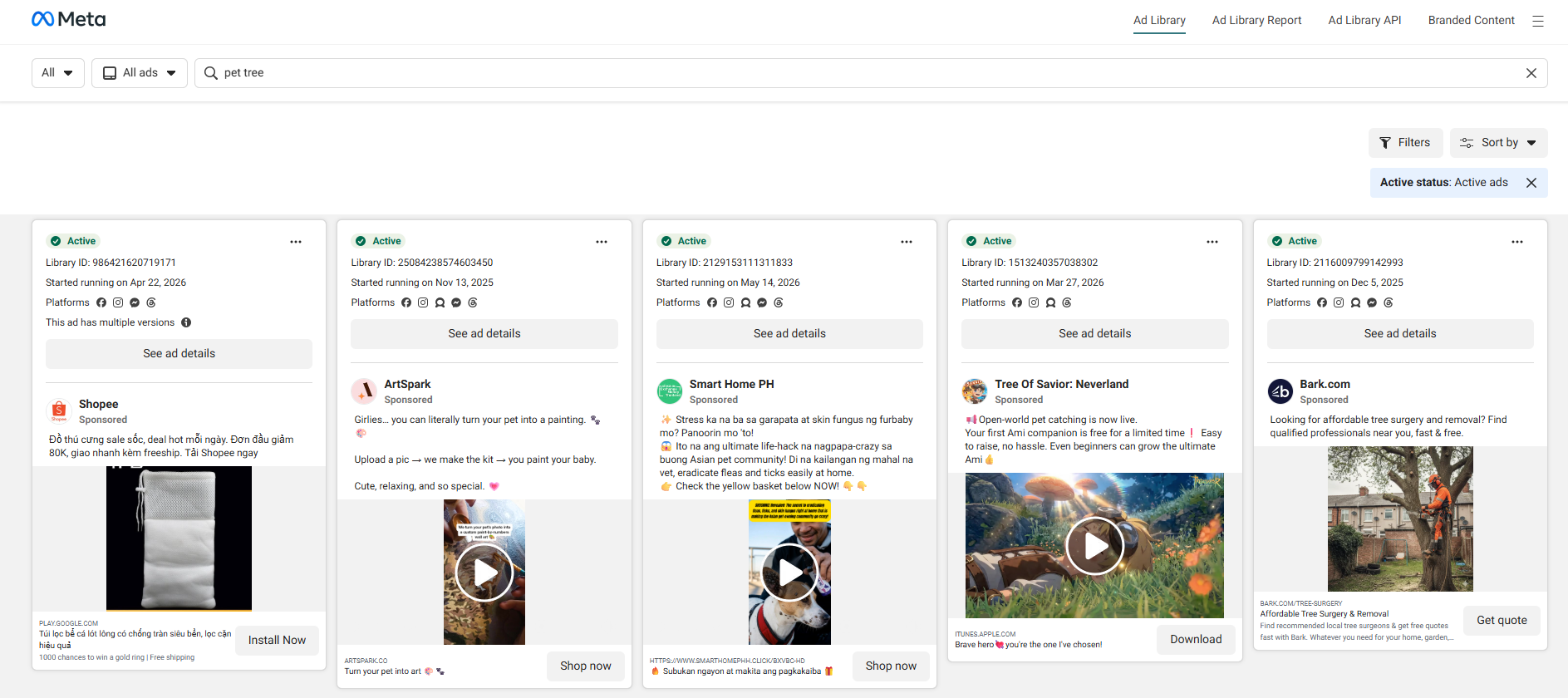
Anyone can access it—you don't even need a Facebook account to search the database. It allows you to search for any brand or keyword and instantly see the exact creatives, copy, and call-to-action (CTA) buttons they are using to drive traffic.
Why You Need to Use It
Using the Meta Ads Library isn't about copying your competitors; it's about competitive intelligence. Here is why it should be a staple in your marketing workflow:
- Creative Inspiration: Suffering from writer's block? Seeing how top brands format their videos or design their carousels can spark new ideas.
- Identify Market Trends: If you notice every competitor in your niche is suddenly running user-generated content (UGC) videos instead of static images, it is a strong signal that UGC is currently outperforming other formats.
- Discover Winning Angles: By looking at how competitors frame their product's benefits, you can identify gaps in their messaging and position your brand as the superior alternative.
How to Search the Meta Ads Library
Finding your competitors' ads is incredibly straightforward.
- Access the Database: Navigate to facebook.com/ads/library in your web browser.
- Set Your Parameters: Select the country you want to view ads in (or select “All” for a global view). Next, click the “Ad Category” dropdown and select “All Ads” unless you are specifically looking for political or housing campaigns.
- Search for a Competitor: Type the name of a competitor's Facebook Page or a general industry keyword into the search bar. Click on their official page from the dropdown menu.
- Filter the Results: Once their ads populate, use the “Filters” button to narrow down the results by platform (e.g., only Instagram), media type (e.g., only videos), or active dates.
What to Look For When Analyzing Ads
Simply looking at a competitor's ads won't improve your ROI. You need to know how to reverse-engineer their strategy. When reviewing the library, pay close attention to these four elements:
1. Ad Longevity
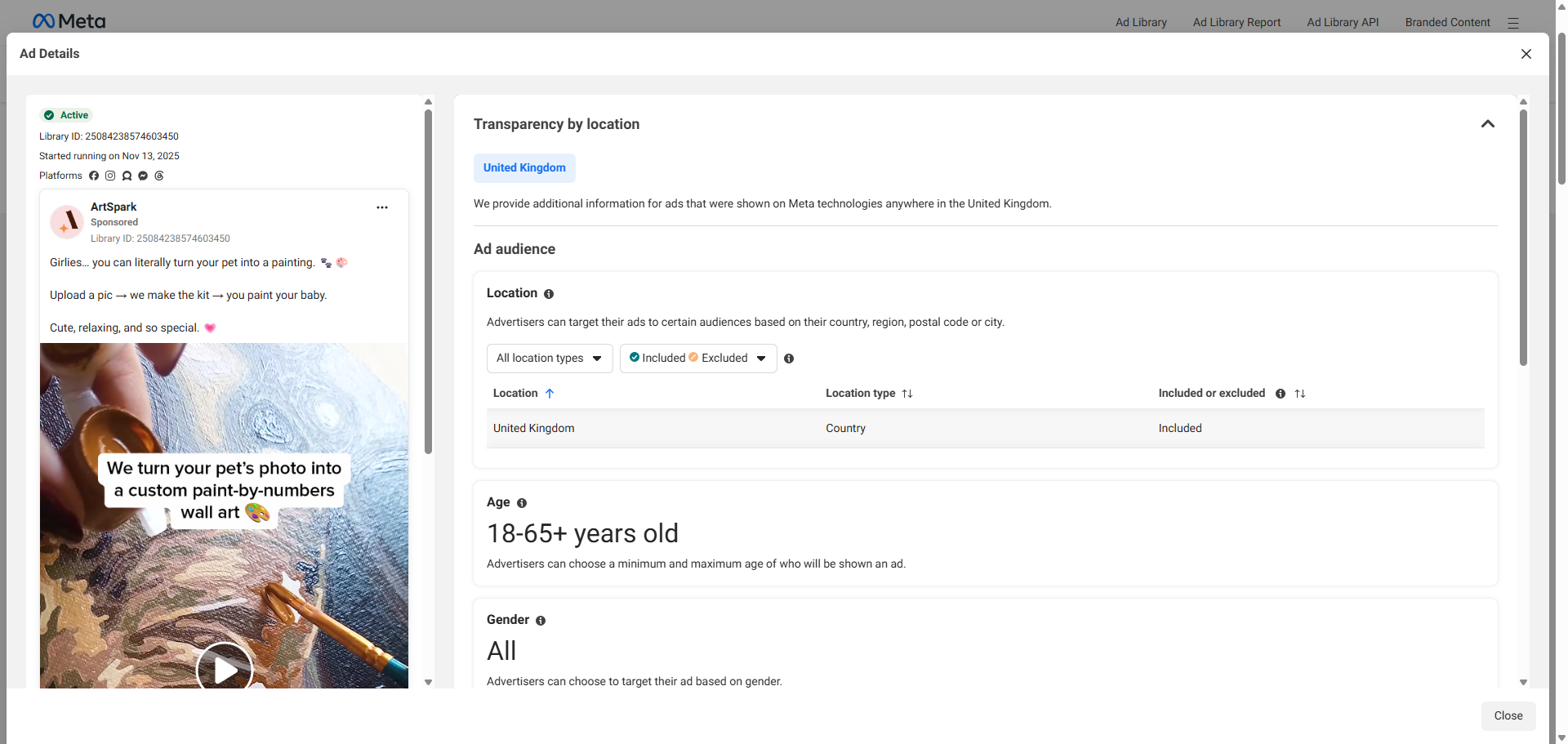
Meta doesn't tell you how much money an ad is making, but it does show you when an ad started running. If an ad has been active for several months, it is highly likely it's a winner. Advertisers do not leave unprofitable ads running for long periods. Study these long-running ads closely—analyze their hooks, thumbnail images, and core offers.
2. The Hook and Copy Length
Are your competitors using short, punchy sentences or long-form storytelling? Look at the first three seconds of their videos and the first two lines of their primary text. This is what stops the scroll.
3. Media Formats
Take note of the mix between static images, carousels, and videos. If a competitor has 50 active ads and 45 of them are Reels/TikTok-style videos, that tells you exactly where they are allocating their creative budget.
4. The Call to Action (CTA) and Funnel
Don't just look at the ad—click on it! See where they are sending traffic. Are they directing users to a standard product page, a dedicated landing page, or a lead generation form? Understanding their post-click experience is just as crucial as understanding their ad creative.
Turning Insights into Action
The Meta Ads Library gives you the blueprint, but analyzing data is only half the battle. Executing a profitable campaign requires technical setup, high-quality creative production, and continuous media buying optimization.
If you want to skip the trial-and-error phase and ensure your budget is being spent efficiently, partnering with experts who handle comprehensive marketing, advertising, and promotion services can help you turn these competitive insights into measurable, scalable ROI.
Final Thoughts: Make it a habit to check the Meta Ads Library at least once a month. Keep a swipe file (a folder of screenshots or links) of great ads you find. Over time, you will develop a sharp eye for what works in your industry, allowing you to launch campaigns with a much higher probability of success.